
pdd-kit: Product-Driven Development for coding agents
pdd-kit is Product-Driven Development for coding agents. It keeps a
durable Product contract in product-model/: what your product does, for whom,
where, and under which rules, including where it works more than one way
(Variations: feature flags, plan tiers, A/B tests, API
versions). The Model overview explains the folder in five
minutes.
The Product Model says what the product is intended to do. It does not prescribe the stack or replace your plan mode, SDD framework, coding agent, or tests.
What the model covers, and what it doesn't
The model keeps what any rebuild of your web app, CLI or API would have to keep, and nothing a rebuild is free to change:
| In the model | Left to design |
|---|---|
| Who can reach each place | Colors, typography, copy |
| What it shows and asks for | Components, layout, modals |
| What can be done there | Tabs, wizards and menus |
| Which rules apply | CLI syntax and flags |
| What happens next | API style: CRUD or RPC |
That is why Interfaces and their Screens are in it: a refund operators issue in an admin console is a different product from one shoppers request on the website.
The development loop
Every product change runs the same loop:
Ideate
/pdd-ideateDecide the next change and record it in the product model.
Implement
your agent, your way
In phases, with plan mode, an SDD tool, or freestyle.
Verify
/pdd-verifyCheck and improve the code and product model until they agree.
Back to Ideate. The next change starts here.
Ideate and verify with pdd-kit. Your own agent implements, your way.
- Ideate with
/pdd-ideate: Decide the next change and record it in the product model. - Implement with your agent, your way: In phases, with plan mode, an SDD tool, or freestyle.
- Verify with
/pdd-verify: Check and improve the code and product model until they agree.
You don't have to name a skill. Ask your agent for a change, such as "add guest checkout to the product", and ideate decides it with you. Ask it to implement the change, and verify plans the work in phases: your agent implements each phase, and verify checks every part of it before the next starts. You can also choose the pace: one part at a time, or everything in one go without phases. Ask your agent to check the code against the model whenever you want to be sure, for example before a release.
Ideate changes the model only with your approval. Your agent changes the code and never the model. A product question that comes up while implementing comes back to you; it is never decided in code.
See the model at any time
At any point in the loop, open the model as a local report in your browser:
npx @itai-gendler/pdd-kit view
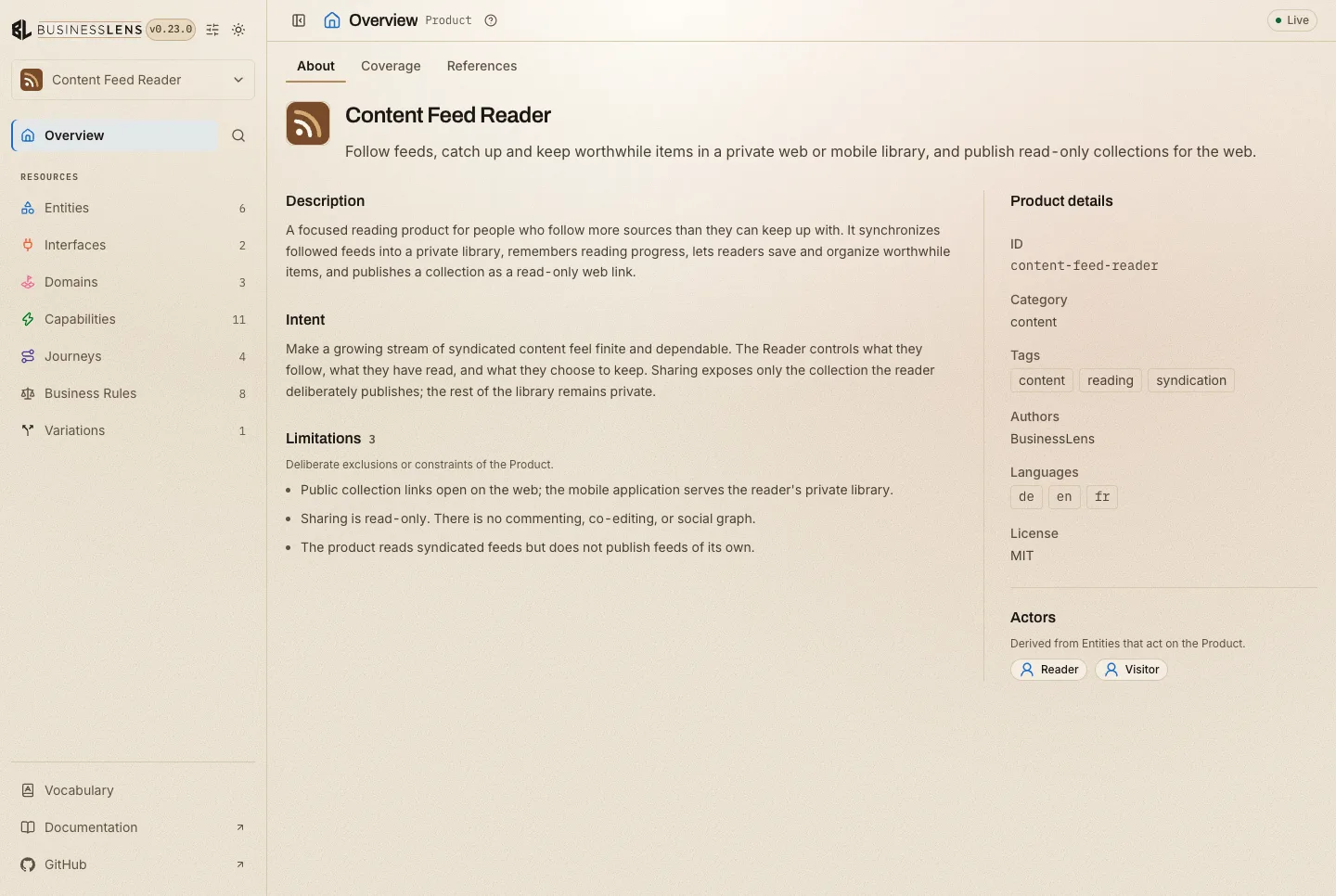
It updates as the files change, so you can keep it open while you ideate,
review a change, or verify. See view for the options.
What pdd-kit never does
- Run your code to check it: the skills read it, they never execute it. While implementing, your agent runs your tests the way it always does.
- Write outside
product-model/, or edit your AGENTS.md, CLAUDE.md or README. - Commit for you.
Next
- Installation: install the skills into your coding agent.
- Model overview: the
product-model/folder in five minutes.